Table of Contents
Project Overview
Using AI to predict the outcomes of NBA games.
This project predicts NBA game spreads and winners using a combination of deep learning models and traditional ML. Unlike my previous project, NBA Betting, which focused on extensive data collection and feature engineering, this project focuses on building advanced prediction models that learn directly from play-by-play data, box scores, and player tracking — minimizing manual feature engineering in favor of letting the models find the signal.
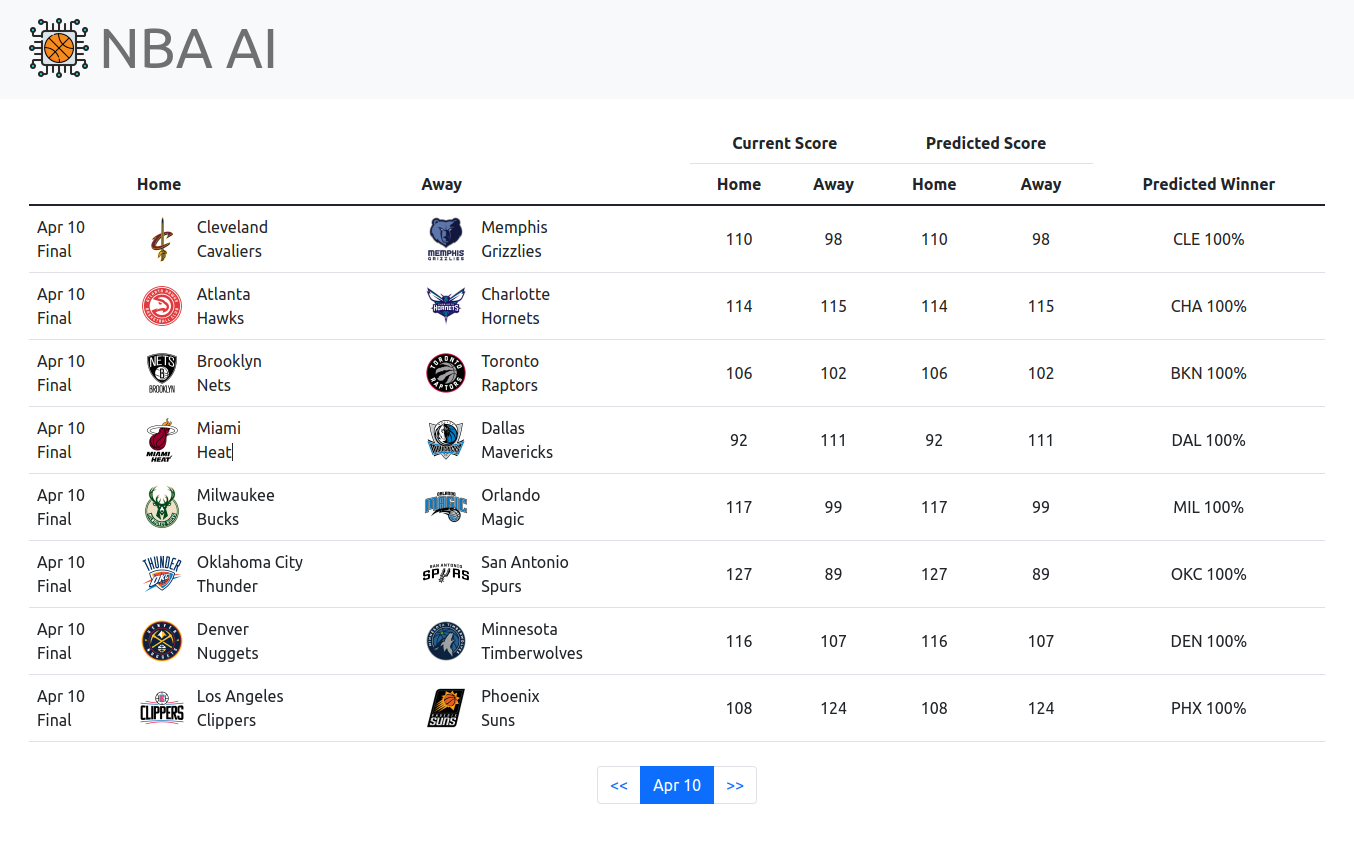
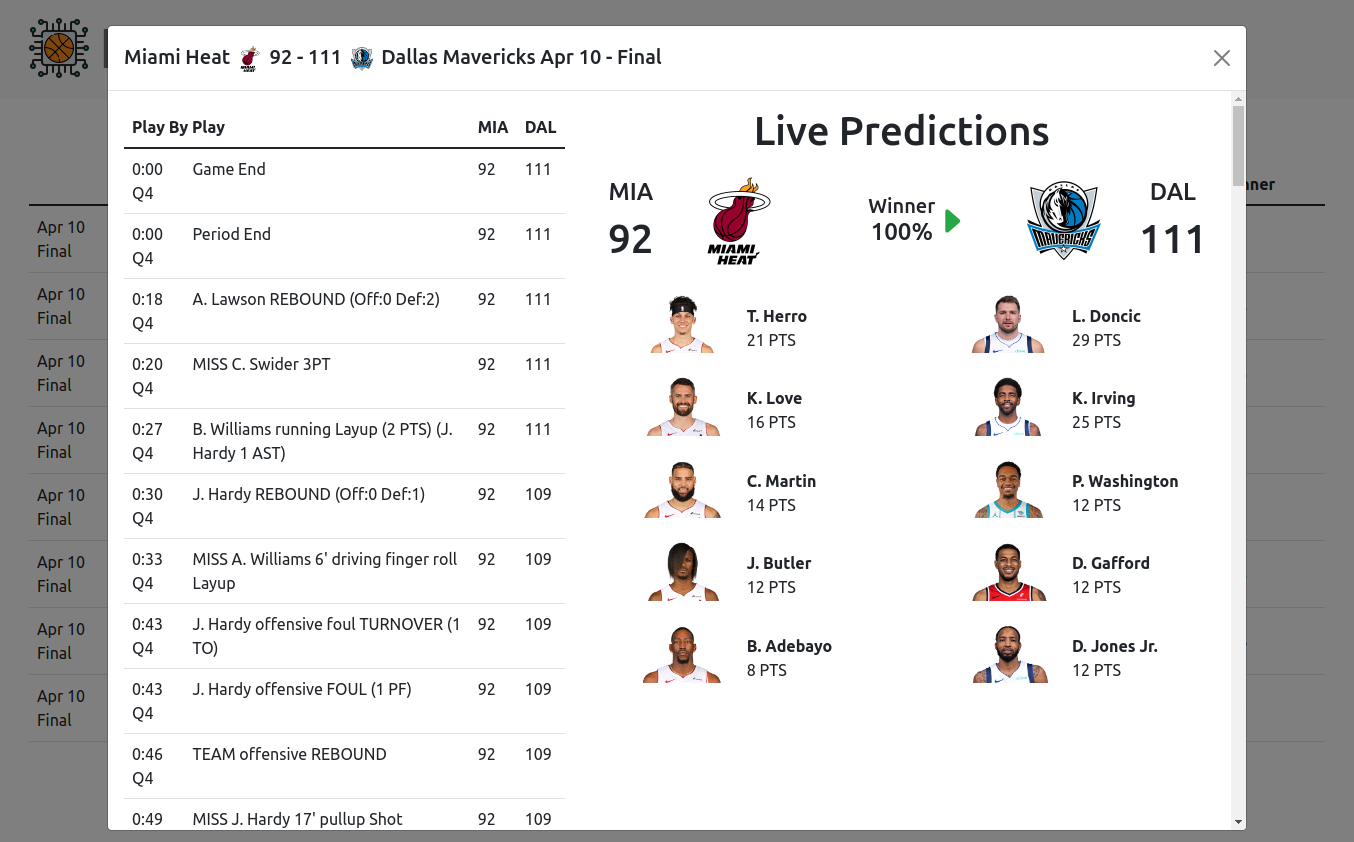
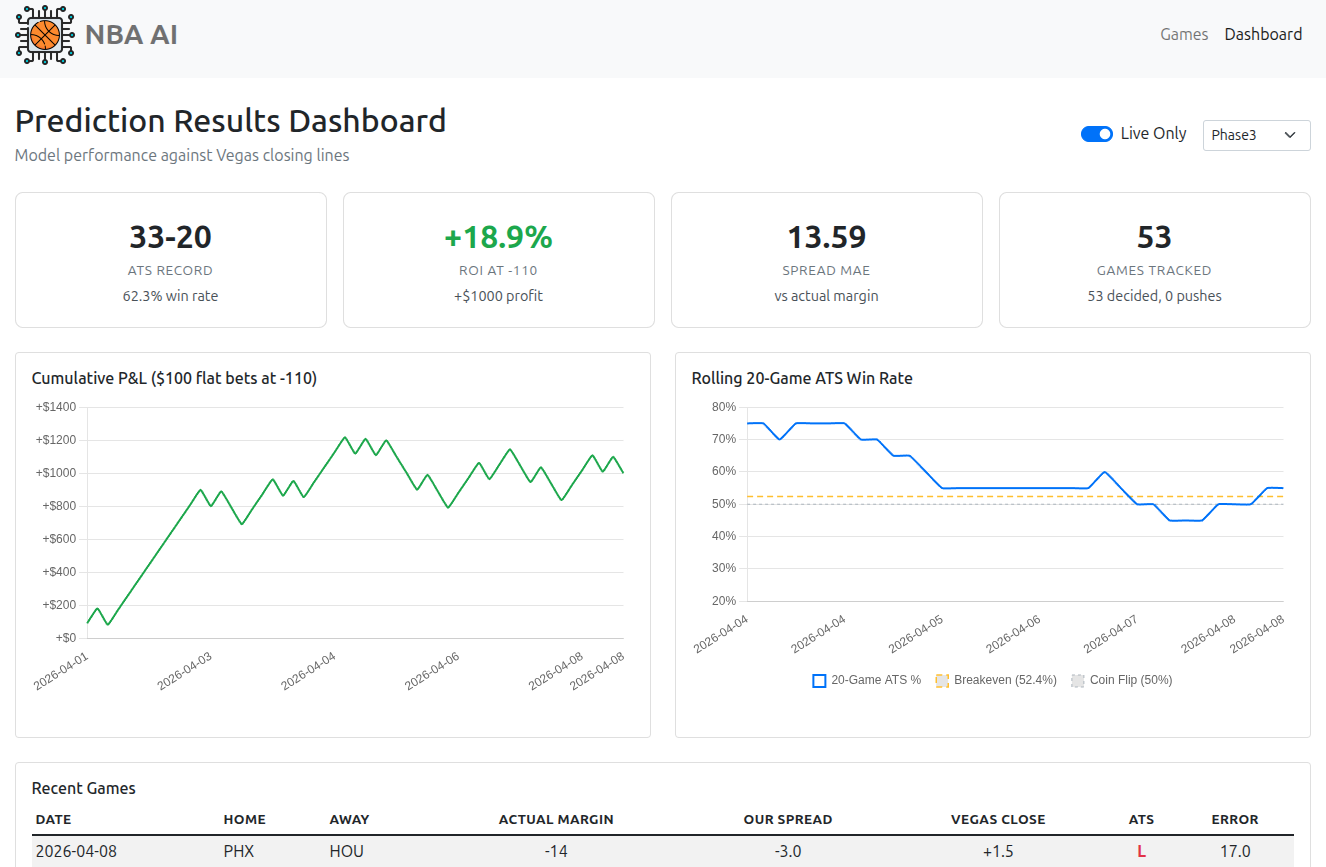
The system runs a fully automated daily pipeline that collects game data, updates player ability models, and generates pre-game predictions for all upcoming games using multiple prediction engines. A Flask web app displays predictions alongside Vegas lines, with a dashboard for tracking model performance over time.
Architecture
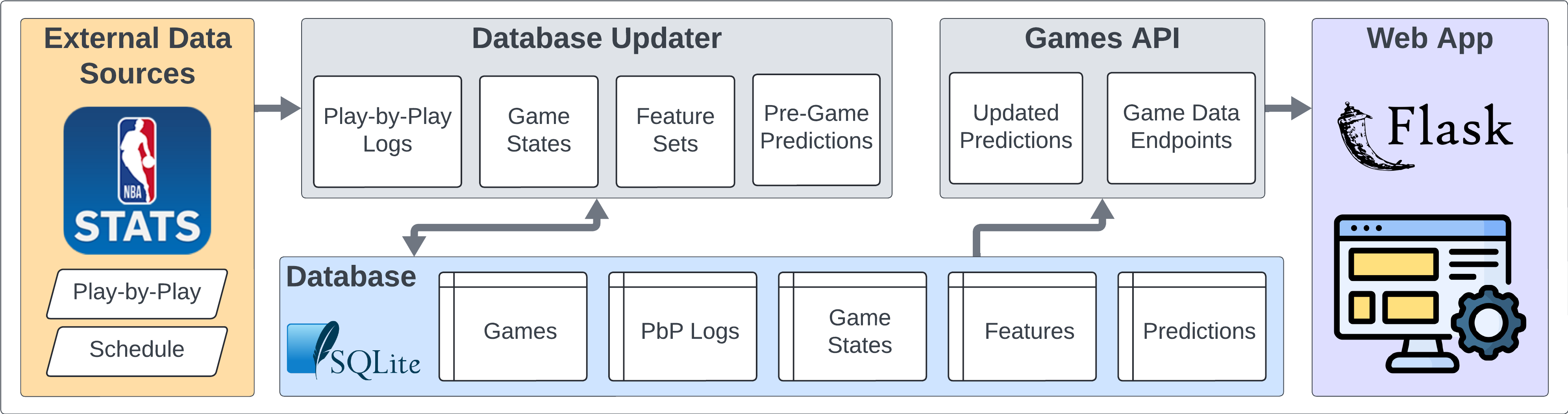
The system has three main layers:
- Data Collection — Automatically collects game data, box scores, play-by-play, injury reports, and betting lines from the NBA API and ESPN into a SQLite database.
- Prediction Models — Multiple prediction engines analyze the data and generate pre-game spread and winner predictions. Includes custom deep learning models, traditional ML models, and an ensemble.
- Web App & Dashboard — Displays games with predictions alongside Vegas lines and actual results. A dashboard tracks each model's performance over time.
Guiding Principles
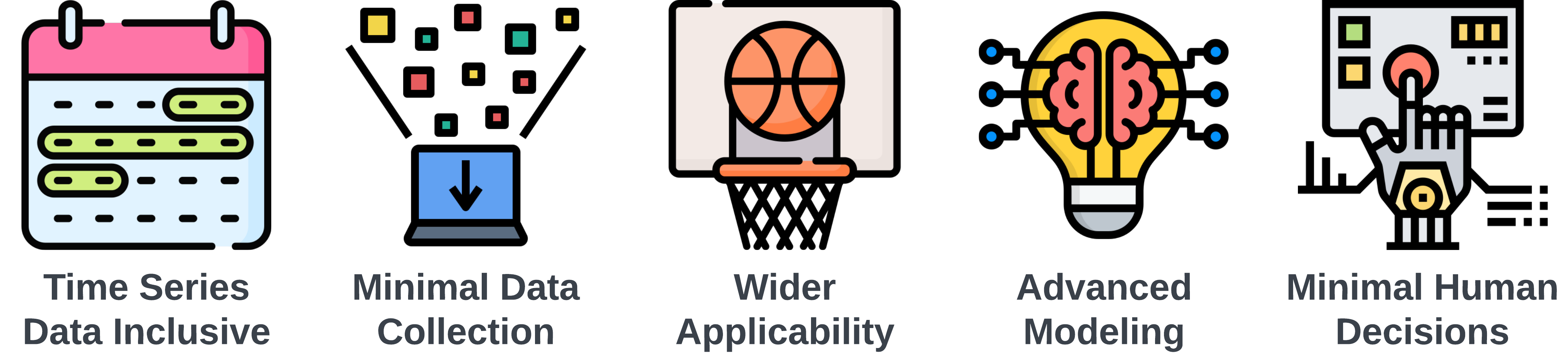
- Time Series Data Inclusive: Incorporating the sequential nature of events in games and across seasons, recognizing the significance of order and timing in the NBA.
- Minimal Data Collection: Streamlining data sourcing to the essentials, aiming for maximum impact with minimal data, thereby reducing time and resource investment.
- Wider Applicability: Extending the scope to cover more comprehensive outcomes, moving beyond standard predictions like point spreads or over/unders.
- Advanced Modeling System: Developing a system that is not only a learning tool but also potentially novel compared to the methods used by odds setters.
- Minimal Human Decisions: Reducing the reliance on human decision-making to minimize errors and the limitations of individual expertise.
Web App & Dashboard
Prediction Engines
The system runs multiple prediction engines, each taking a different approach to predicting game spreads and winners. All engines generate pre-game predictions that are evaluated against Vegas closing lines.
Deep Learning Models
- Phase 5 (Hierarchical): A 4-level neural architecture that models basketball from the ground up — individual player abilities (L1, Kalman filter), player synergy (L2, GATv2), team effects (L3), and game-level matchup prediction (L4). ~1.4M parameters, trained on play-by-play and box score data.
- Phase 3 (Transformer): A roster-conditioned temporal transformer that processes each team's full season history with player-level attention. ~27M parameters, captures game-to-game dynamics and roster interactions.
Traditional ML Models
- Baseline: Formula-based predictor using team PPG and opponent PPG averages.
- Linear: Ridge Regression on 43 rolling features from prior game states.
- Tree: XGBoost on the same features, with Optuna-tuned hyperparameters.
- MLP: PyTorch neural network (256→128→64) with batch normalization and Huber loss.
Ensemble
- Ensemble: Equal-weight combination of Phase5, Phase3, Linear, Tree, and MLP (whichever have predictions, at least two). Averages spreads arithmetically and win probabilities in log-odds space.
Quick Start
Requirements
- Python 3.10+
- PyTorch (required for MLP predictor; optional for others)
- ~2GB disk space (starter database expands to ~1.6GB)
1. Install
git clone https://github.com/NBA-Betting/NBA_AI.git
cd NBA_AI

python -m venv venv
source venv/bin/activate  # Windows: venv\Scripts\activate
pip install -r requirements.txt

cp .env.example .env
2. Download the Starter Database
Download NBA_AI_starter.sqlite.gz from
GitHub Releases
into the project root, then extract it:
python -c "import gzip, shutil; shutil.copyfileobj(gzip.open('NBA_AI_starter.sqlite.gz','rb'), open('data/NBA_AI_starter.sqlite','wb'))"
The starter database contains the current and previous seasons' games, box scores,
play-by-play, betting lines, injury reports, and predictions from all
models. The .env file is already configured to use it.
3. Run the Web App
python start_app.py
Visit http://localhost:5000 to view games and
predictions. The dashboard is at /dashboard.
The web app shows whatever is in the database. With a fresh starter DB, you'll see the full season up to the date it was exported.
4. Update Data
The web app does not fetch new data on its own. To collect games that have occurred since the starter database was exported, run the pipeline:
python -m src.pipeline.orchestrator --mode=full --season=CurrentNote: On first run, the pipeline will backfill any missing games since the starter DB was exported. This involves many API calls with rate-limit pauses and may take 10–30+ minutes depending on the gap. Subsequent runs complete in 1–2 minutes.
To keep data current, run the pipeline manually whenever you want, or optionally set up a cron job (Linux/Mac):
# Automated (add via 'crontab -e')
# Note: cron schedules use your system's local timezone. Pick an hour that is
# morning US Eastern for you (e.g. 10am ET = "0 7" on a US Pacific machine),
# so the run lands after the previous night's games and before the day's games.
0 10 * * * cd /path/to/NBA_AI && venv/bin/python -m src.pipeline.orchestrator --mode=full --season=Current >> logs/cron_daily.log 2>&1
Included Models
The repository includes trained models for four predictors that work out of the box:
| Model | Type | Description |
|---|---|---|
| Baseline | Formula | Team PPG averages (no model file needed) |
| Linear | Ridge Regression | 43 rolling features from prior game states |
| Tree | XGBoost | Same features, Optuna-tuned hyperparameters |
| MLP | Neural Network | 256-128-64 architecture with Huber loss |
Linear, Tree, and MLP are combined by the Ensemble predictor (equal-weight average), along with Phase5 and Phase3 when their models are present.
The deep learning models (Phase5 and
Phase3) are not included due to size. To use them,
train your own using the scripts in scripts/. To retrain
the legacy models on updated data:
python scripts/train_legacy_models.py --cutoff-date 2026-03-31This is a personal side project provided "as is" with no guarantees of quality, functionality, or ongoing maintenance.